




Ivybet App
We created the Ivybet app so you can enjoy our casino from your phone. No matter where you are, our mobile platform will give you access to thousands of games, including online slots and live tables.
All Ivy Bet Casino promotions are also available through the app. Players can easily install our software on Android and iOS devices and personalize it, making their gameplay smoother and more secure.



Benefits and Features of the Ivybet App
Smartphones are the clear choice for quick entertainment, so it makes sense to want the casino right there on your device. We built our platform so you never have to trade actual features for that convenience.
The Ivybet app and our mobile site hold the exact same titles and functions as the desktop setup. So if you are spinning a jackpot slot or roulette wheel on a big screen, you can grab your gadget and load the same game. Here is why our players stick with the app:
- Installation takes just a couple of seconds straight from our website.
- We built the software as a PWA, which means it is incredibly lightweight. It goes onto iOS or Android phones easily without eating up your storage or draining the battery.
- Every connection stays encrypted for your safety. Moreover, we only request basic internet and notification permissions rather than digging for extra data.
- Alerts pop right up on your home screen. You can tweak these settings so we only drop a quick reminder about a fresh bonus or a tournament starting soon.
- It mostly boils down to comfort. Waiting for a computer to turn on just for a couple of spins can be frustrating, whereas your mobile is always within reach.
Once the app is on your device, you are never tied down to a desk for your entertainment. As long as you have decent Wi-Fi or mobile data, you are good to go.
Ivybet Casino Application for iOS
You don’t need the newest iPhone or iPad to play at Ivy Bet Casino. An updated Safari or any other browser is enough to load our website easily. This setup gives you a reliable gaming experience without lag. Every game adjusts to fit your screen perfectly, which means you can place bets and control your options with just one finger.
You can always install the Ivybet app if you want to skip opening the browser every time. You just go to our site on your device, then tap the Share button near the address bar. From there, select Add to Home Screen. You can edit the website details quickly before tapping Add to finish the setup.
Installation Through the Shortcuts App
For a bit more control, you can set up our software using the native Shortcuts app on iOS. It is the same Ivybet Casino platform on your iPhone, but it lets you add custom details like your own icon and name.
The real benefit comes down to automation. A shortcut can load the casino and instantly trigger Focus Mode to silence your notifications. You can also use it to adjust the brightness or take you directly to the Instant Win or live section. Setting up a text reminder to check bonus terms or a 30-minute timer is just as easy.
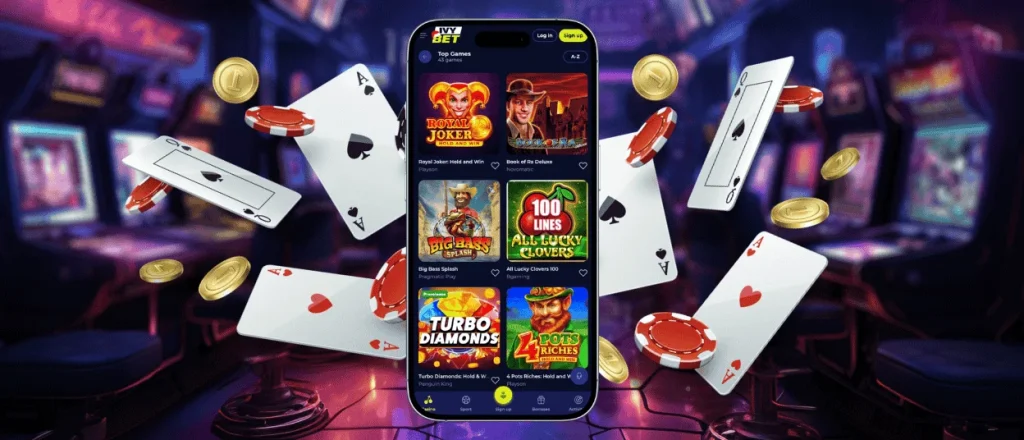
Ivy Bet App for Android
If you use an Android, accessing our mobile platform is simple. You will not have to dig through Google Play or risk downloading an Ivybet APK file from a random source. You can install the app directly by opening our website in a browser like Chrome.
Visiting the site and tapping the More menu near your address bar is all it takes. From there, you just pick the option for your home screen. A quick prompt asks you to confirm the software name, so you can keep the default or type your own.
Installing the Ivybet mobile casino and creating an account opens up all our promotions. That starts right away with a welcome package containing cash and free spins. Down the line, completing the verification process for your first withdrawal is actually faster on a phone. This is because you can snap photos of your documents and upload them without switching devices.
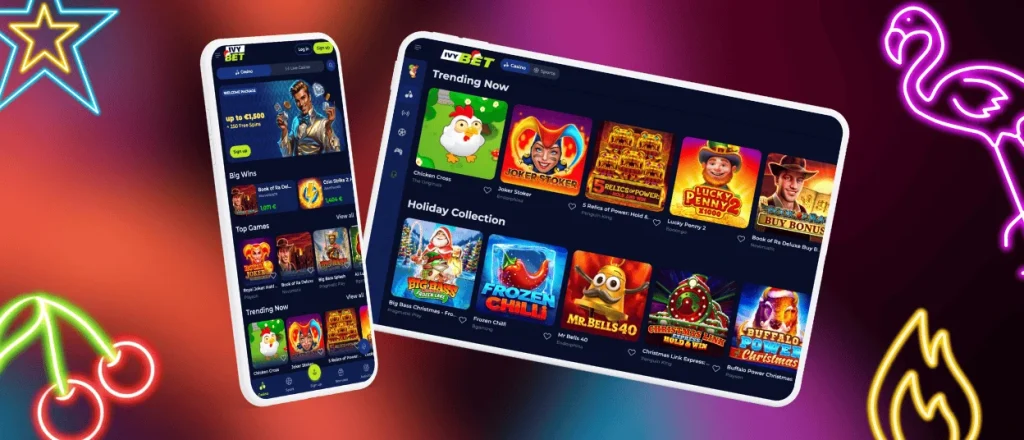
Play Ivy Bet Casino on Mac or Windows
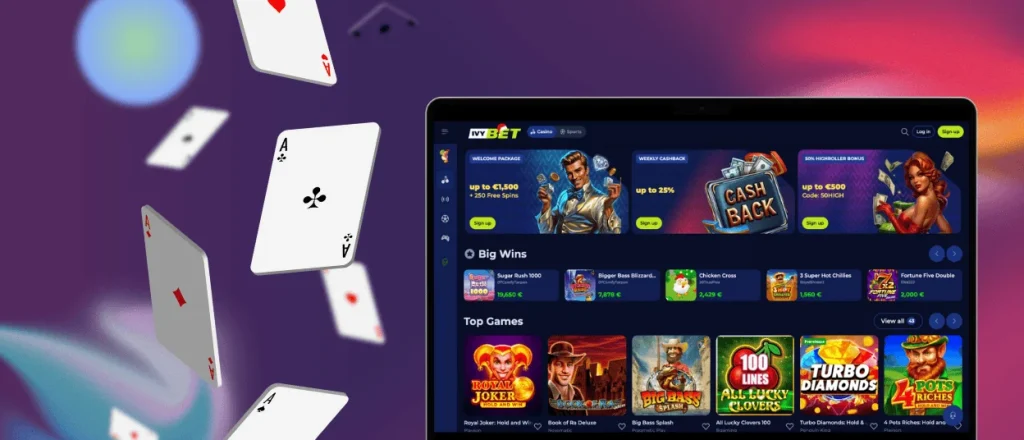
We do not force you into using one specific device. If you prefer a traditional setup, the Ivybet Casino desktop version gives you the complete platform. Sitting at a larger monitor makes a real difference in practice:
- Vivid game shows like Crazy Time and Mega Wheel tend to look better when you have more screen space.
- Managing complex live tables becomes simpler. Placing chips on multiple blackjack side bets is faster with a mouse.
- Scrolling a massive leaderboard during crowded events like the Live Tournament takes seconds.
- You can keep an eye on your bet history without ever closing the main game window.
Plenty of people work on a computer and don’t want to mix casino tabs with their daily tools. You can solve that by creating a site shortcut to install the Ivybet app locally. This means you launch the casino straight from your desktop.
You log in with your standard profile, no matter what device you hold. Everything from your funds to your active progress updates automatically between your computer and phone.
Security and Good Habits
We keep the platform locked down. The site runs on TLS 1.3, so your connection stays encrypted from the moment you open it. We also use tokenization for all payment data. Mobile options like Apple Pay and Google Pay work perfectly, and your money moves safely.
You can step up your own protection from there. We suggest turning on two-factor authentication. Using an authenticator app on the same phone as Ivybet Casino makes logging in fast.
We recommend sticking to private networks instead of public Wi-Fi. It is also a good idea to lock the casino app behind a password or hide it entirely. If your gadget gets lost, your profile stays out of reach.
Finally, check out the responsible gaming tools inside the app. You can cap your deposits or set a hard limit on your session time. The software handles the tracking for you, so you don’t have to bother setting phone alarms.
Best Setup for Smooth Play
It does not take much to launch the Ivybet app, but your phone still needs to handle the load. We push regular updates to keep the software stable, which means the rest comes down to your daily setup. Even a great platform will drag if your device is running on empty. A solid connection and a fresh system stop your rounds from dropping mid-spin, so here is what usually works best.
| Feature | What we recommend | Result |
| Connection | Wi-Fi or a clear 4G/5G signal | Video streams cut out when your signal drops, which is why a strong connection matters for live tables. |
| Browser choice | Current versions of Chrome, Safari or Firefox | An updated browser handles the games properly and locks down your login page. |
| OS updates | Most recent Apple or Android software | Everything still works on older software. However, updating simply gives the app a much better environment to run fast. |
| Phone storage | A small amount of space | The PWA only weighs a few kilobytes, but it caches data. Keeping some space free ensures the games load instantly later. |
| Battery settings | Regular mode over the battery saver option | Phones cut back on processing power to save battery. Staying on standard power keeps the platform running without annoying lag. |
FAQ
Which Browsers Work Best With the Ivybet Mobile App?
Any modern browser does the job. You can stick with the standard Safari or Edge, or use something like Firefox or Brave. The main thing is keeping it updated so the casino runs smoothly.
Will My Balance Sync Between the Ivy Bet App and the Desktop Site?
Yes, because you are logging into the exact same profile. Even if you fund your account on your phone using Google Pay, that cash is right there when you switch to a laptop. Everything updates automatically.
What Should I Do if the Ivybet Casino Application Does Not Load Correctly?
Start by checking your internet and clearing out the cache. That fixes most problems. If you still need help, jump on live chat to talk to our support team. You can also email us if the platform refuses to load at all.
Can I Turn Mobile Notifications On or Off?
You handle all of that directly in your phone settings. It is completely up to you to decide what our software is allowed to send. Shutting notifications down is simple if you don’t want alerts.
Do I Need a Separate Password for the Mobile App?
Accessing your account requires your standard login details. That said, you can lock the app itself with a separate passcode for better privacy. Doing that means nobody else can even open the casino on your phone.


